
Create and Assign a Task in Zoho Projects
Here is our approach for creating and assigning tasks in Zoho Projects in a simple way.
Even a non-technical person can easily manage tasks in just a few steps.

Approach
We can create and assign a task in Zoho Projects by following these simple steps.
1. Creating and Assigning a Task
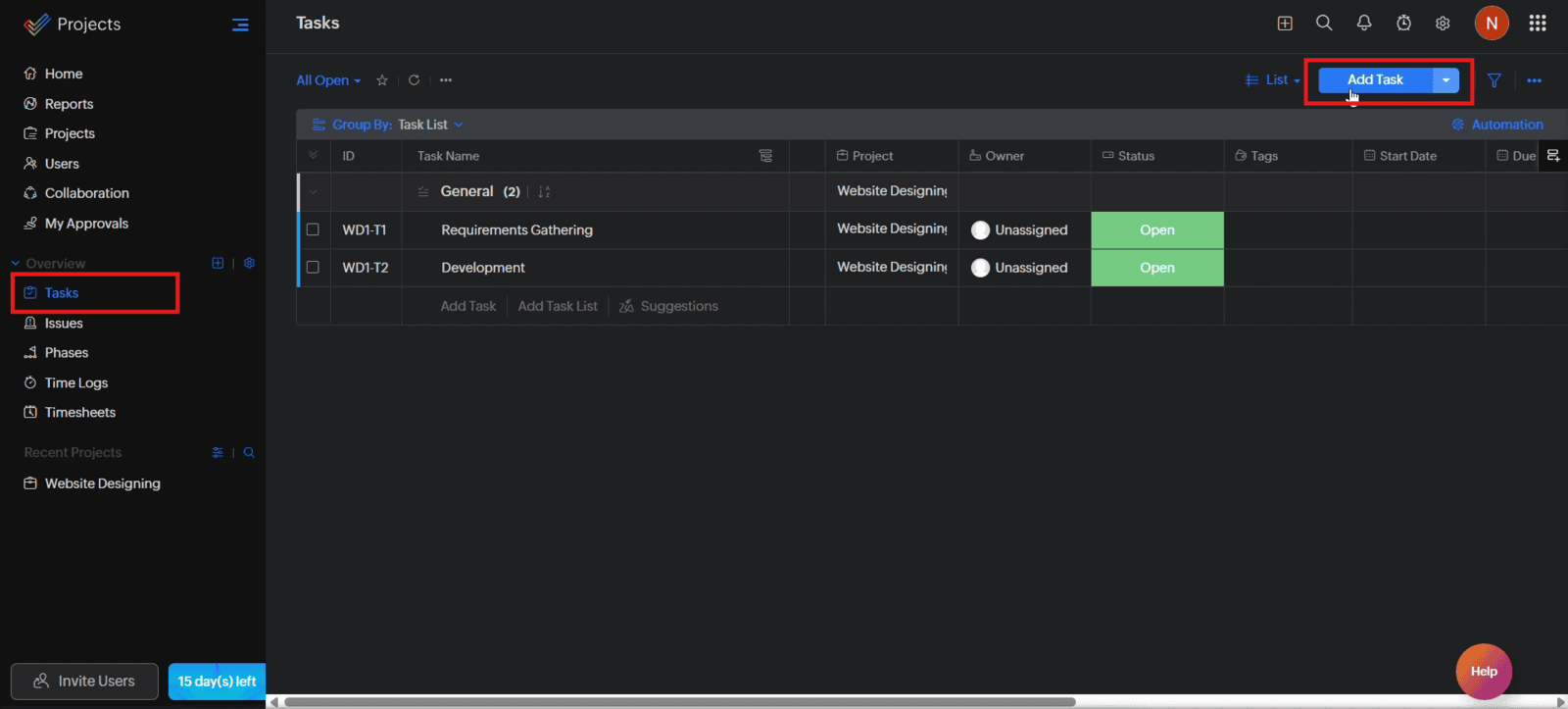
1.1 Open your project, navigate to "Tasks", and click "Add Task"
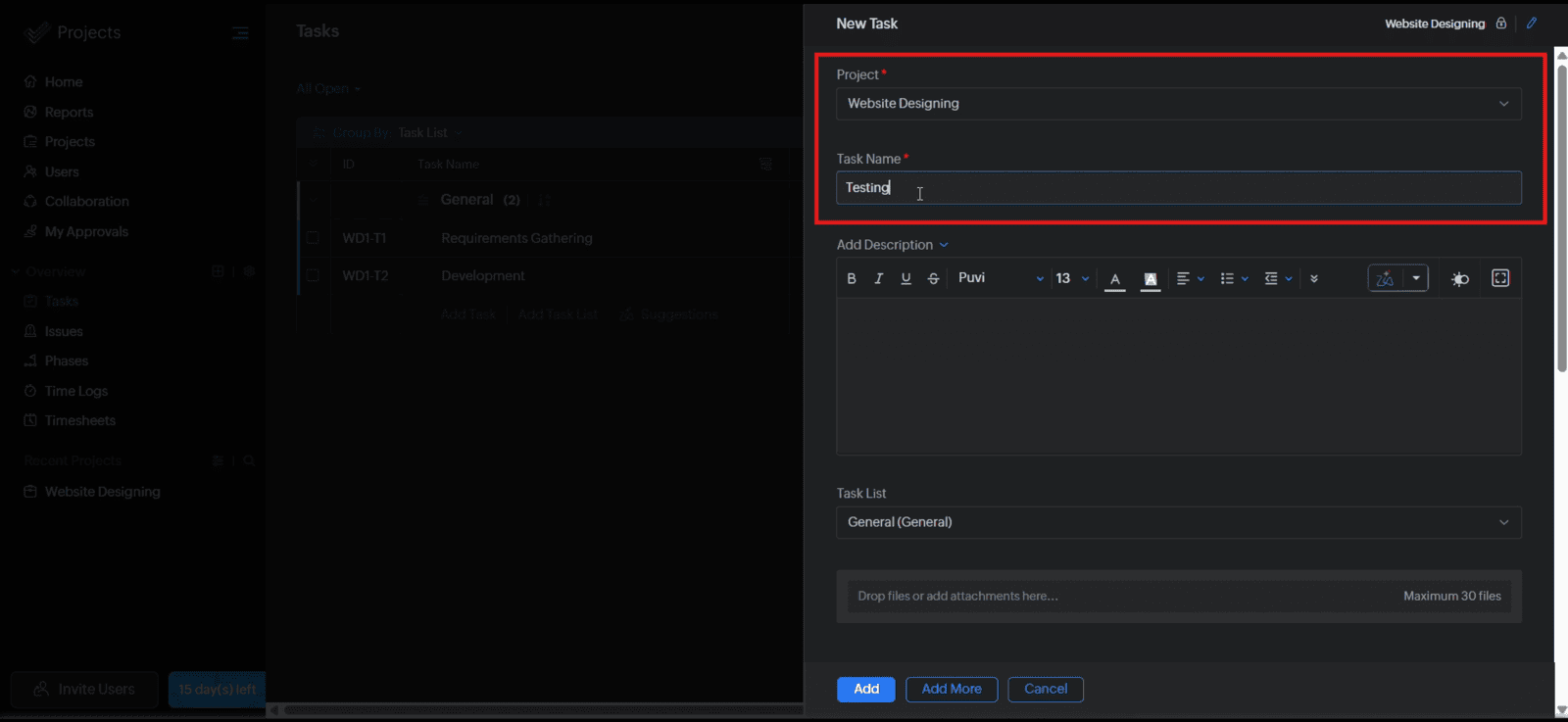
1.2 Select the project and enter the task name
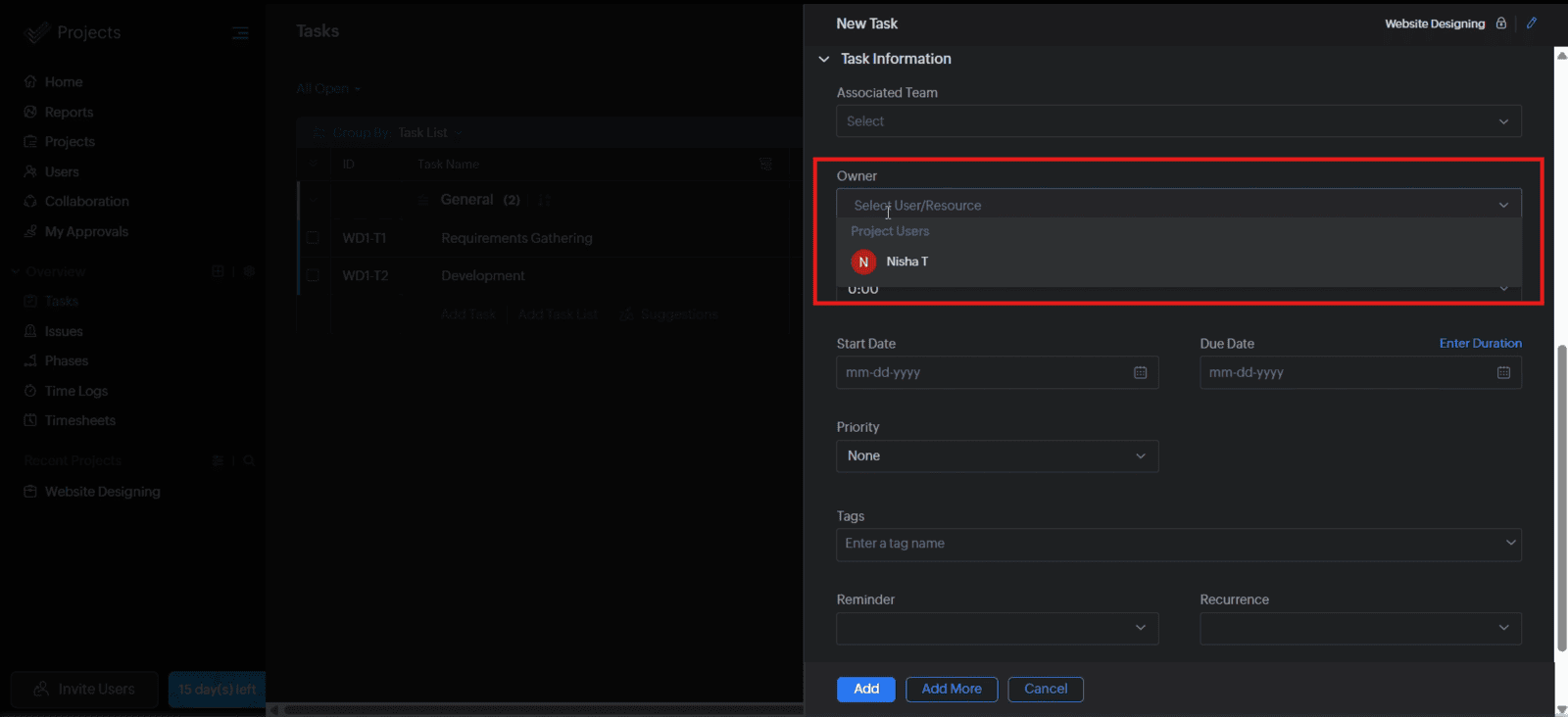
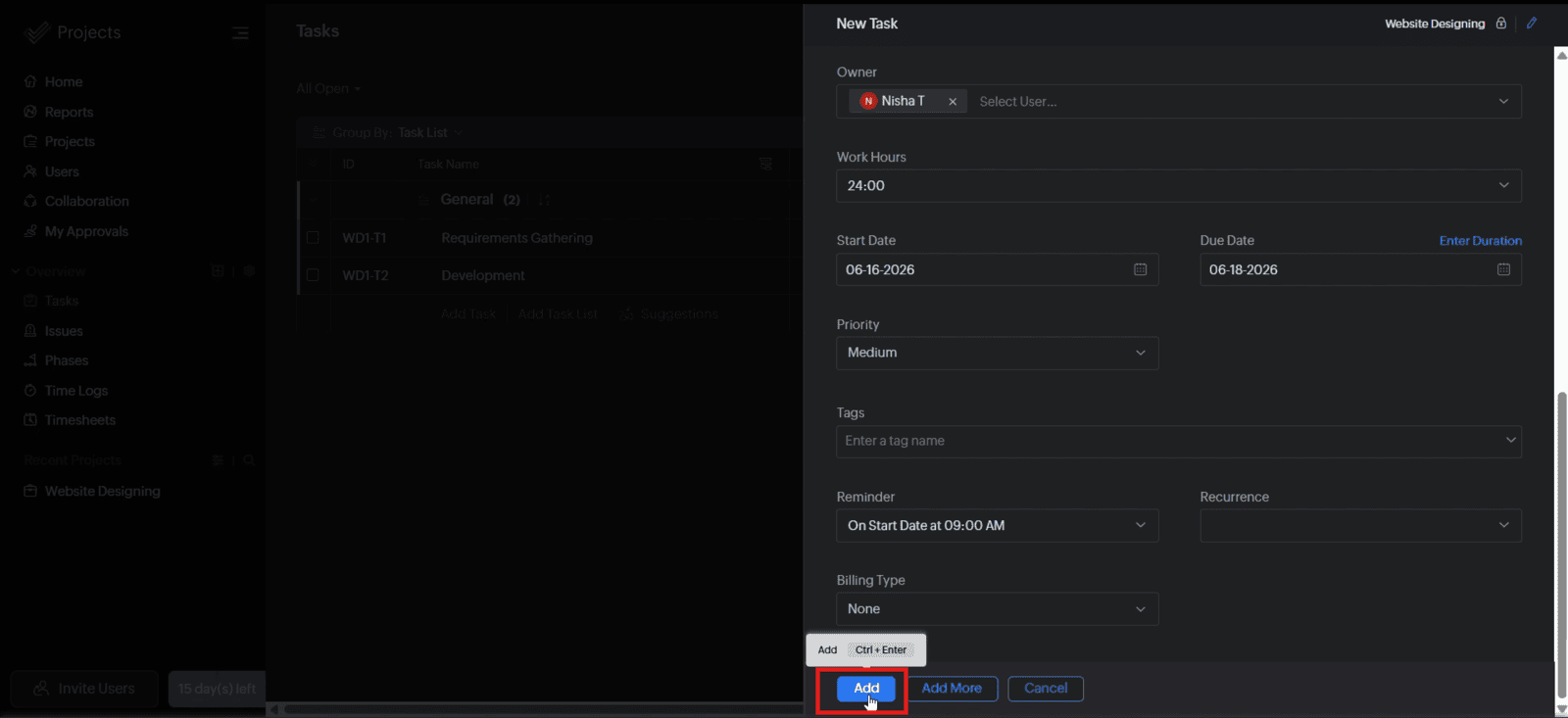
1.3 Assign the task owner
1.4 Set the task priority, start date, due date, and reminder if required
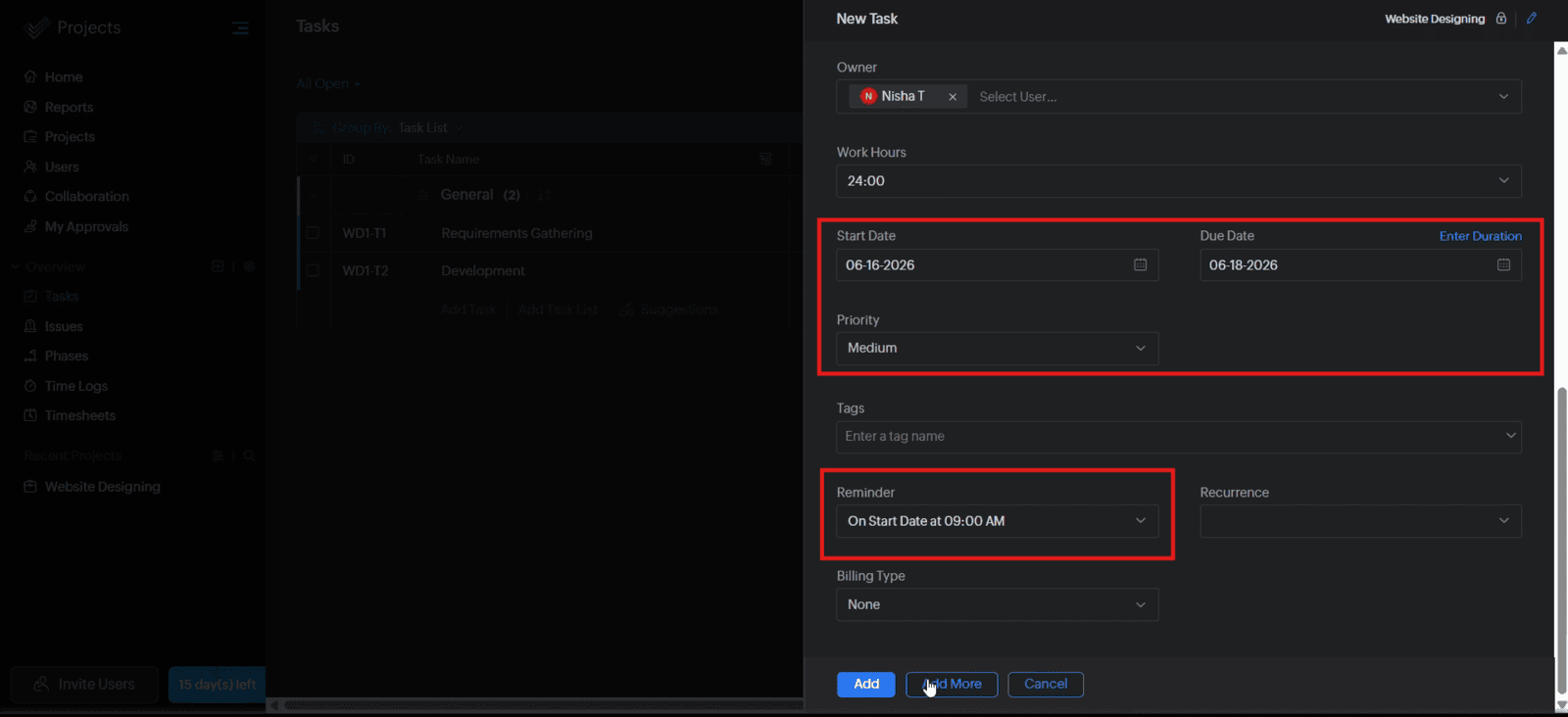
1.5 Click "Add" to create the task
Video: Create and Assign a Task in Zoho Projects
Here is the video explanation of the above steps.


